
AWS Compliance Explorer
pro version
With Compliance Explorer Pro, you get one place to understand your AWS compliance posture end‑to‑end. It continuously evaluates your environment against best‑practice baselines, surfaces only the gaps that matter, and helps you show a clear story of progress to auditors, customers, and stakeholders.
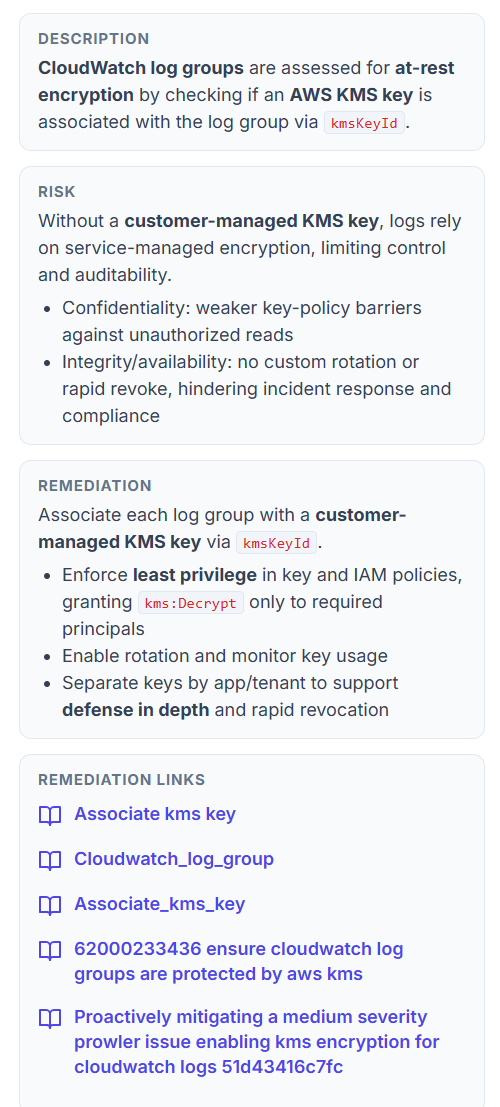
Compliance Frameworks
Choose any
Filter by framework or status, export the results, and walk stakeholders through the charts without touching the AWS console.
See your overall AWS security and compliance health at a glance. CloudWizard pulls together your pass rate, total open fails, and a breakdown by framework, severity, and region so you can immediately see where you’re exposed.
Compliance Score
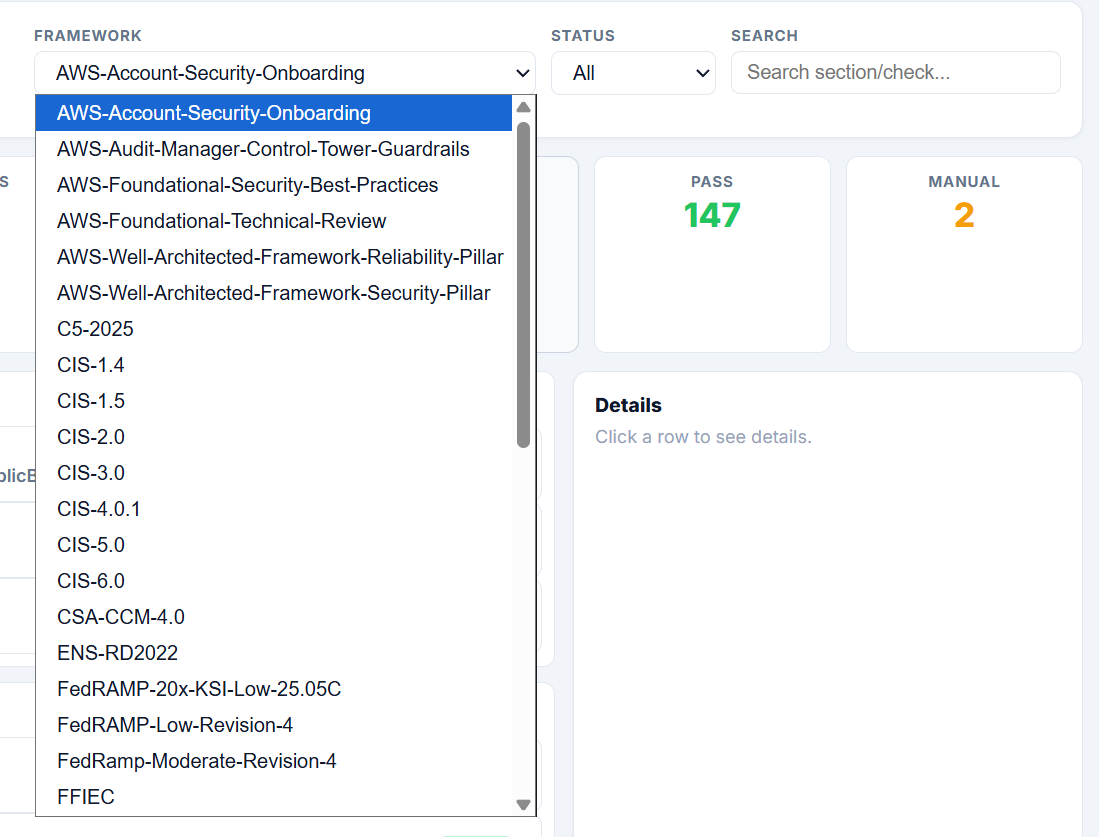
Know Your Score at a Glance
See your compliance score per framework instantly. Browse by section, check affected resources, and filter by status so you always know where you stand.
CloudWizard gives you a real‑time compliance score for every framework you care about. With PCI‑4.0 showing 67% and 712 failures out of 2,185 checks, you know exactly what’s passing, what’s failing, and where to focus. No more guessing — just a clear score you can act on.
Compliance Details
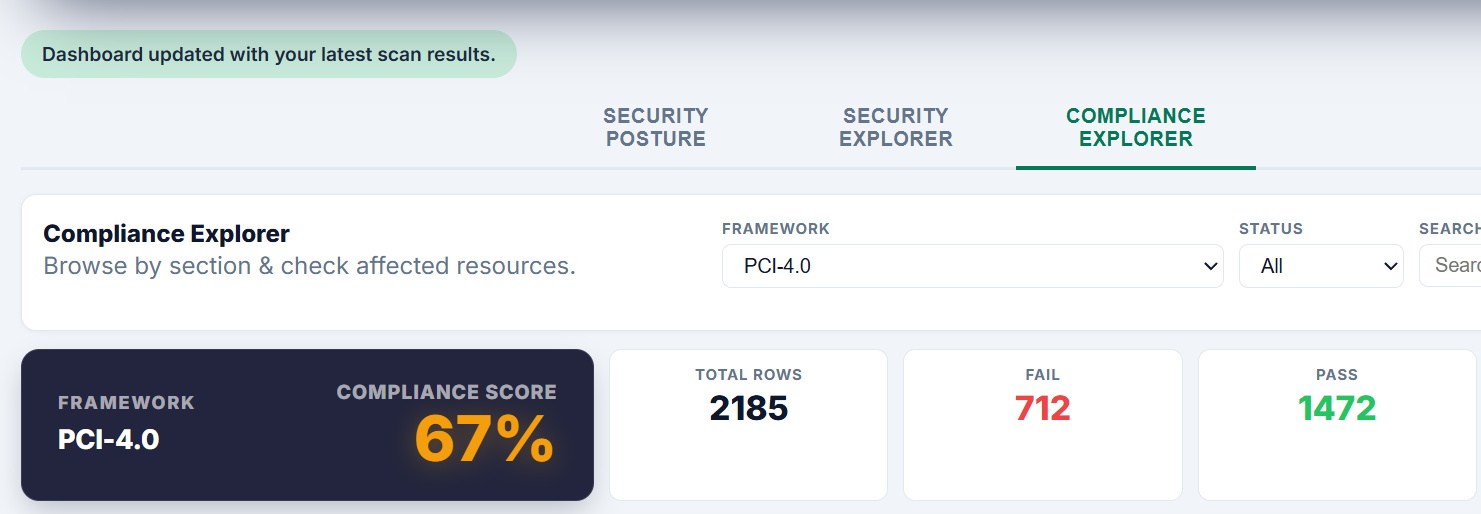
Drill Down to the Resource
Explore findings by category, check which specific controls are failing, and see exactly which AWS resources are affected — all without leaving the dashboard.
CloudWizard breaks your compliance results into clear categories like identity-access, trust-boundaries, and forensics-ready so you can find problems fast. Each check shows a pass/fail split with affected resource ARNs, severity, and service — so your team knows precisely what to fix and where to find it in AWS.
Triage & Notes
Track Every Finding
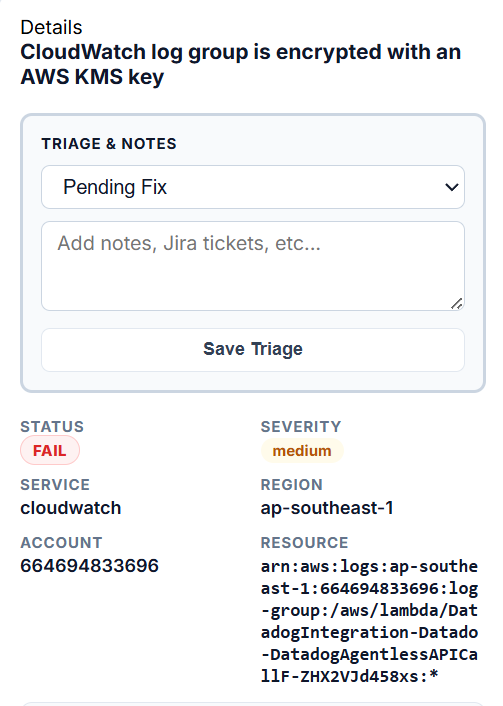
Mark findings as pending fix, accepted risk, or resolved. Add notes, Jira tickets, or any context your team needs — saved directly against the resource.
CloudWizard gives you a built-in triage workflow so nothing gets lost. Click any failing check to see the full details — status, severity, service, region, account, and the exact resource ARN — then log your team’s response right there. No spreadsheets, no back-and-forth, just a clear record of what’s being fixed and why.
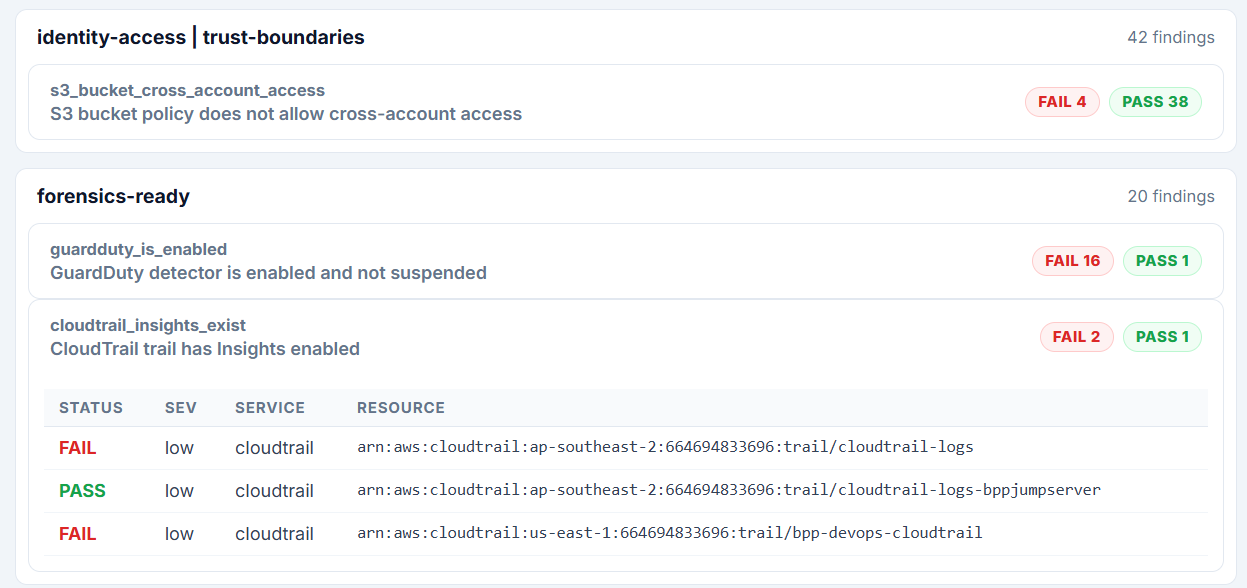
Remediation Guidance
Know Exactly How to Fix It
Every failing check comes with a plain-English description of the issue, a clear breakdown of the risk, and step-by-step remediation guidance — plus direct links to the relevant AWS docs.
CloudWizard doesn’t just tell you something is wrong — it tells you why it matters and what to do about it. Each finding includes a description of what’s being checked, the specific security risk if left unresolved, and actionable remediation steps your engineers can follow immediately. No Googling, no guesswork — just clear guidance right inside the dashboard.